Back to Legal Hub
Account Deletion
Last Updated: June 11, 2026
This page explains how to delete your Xpeak AI account and associated personal data using the Xpeak AI mobile app. Account deletion is initiated inside the app while you are signed in — you do not need to use this website to complete the request.
You are reading a public guide page. To delete your account, open the Xpeak AI app on your phone and follow the steps below.
How to delete your account in the Xpeak AI app
Sign in to the Xpeak AI app
Open the Xpeak AI app on your phone and sign in with the account you want to delete. You must be signed in before you can start the deletion flow.
Go to the Me tab
Tap Me in the bottom navigation bar.
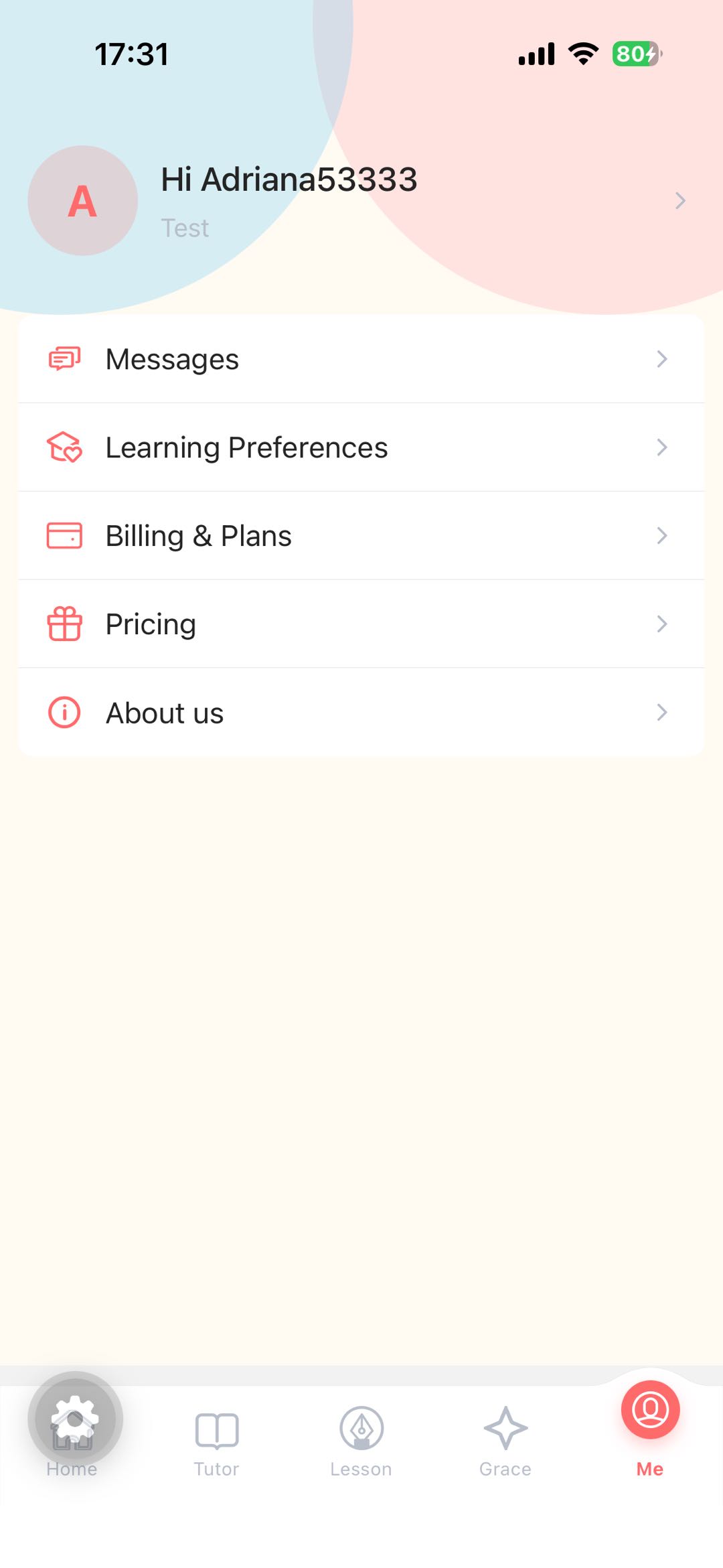
Open your profile
On the Me screen, tap your avatar to open your Profile personal center page.
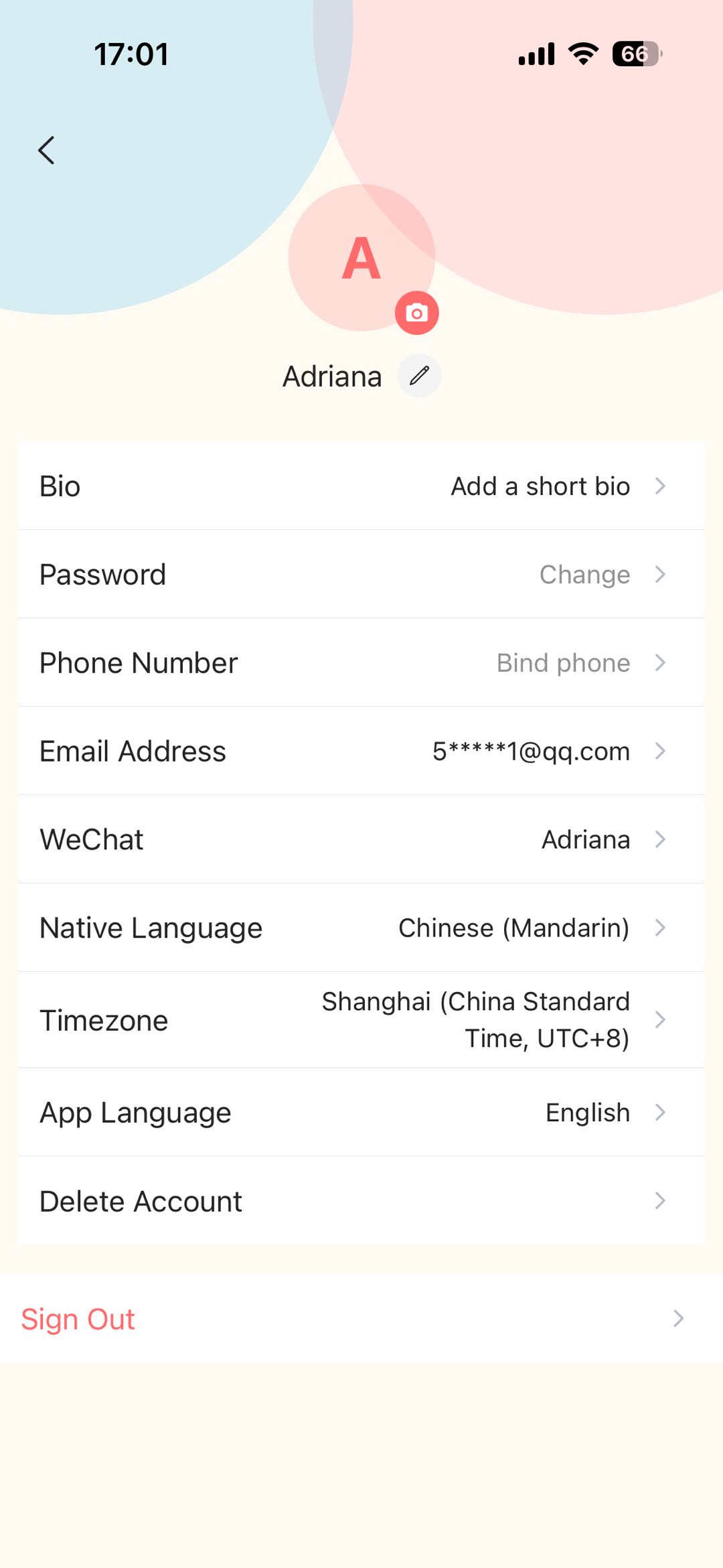
Tap Delete Account and confirm the notice
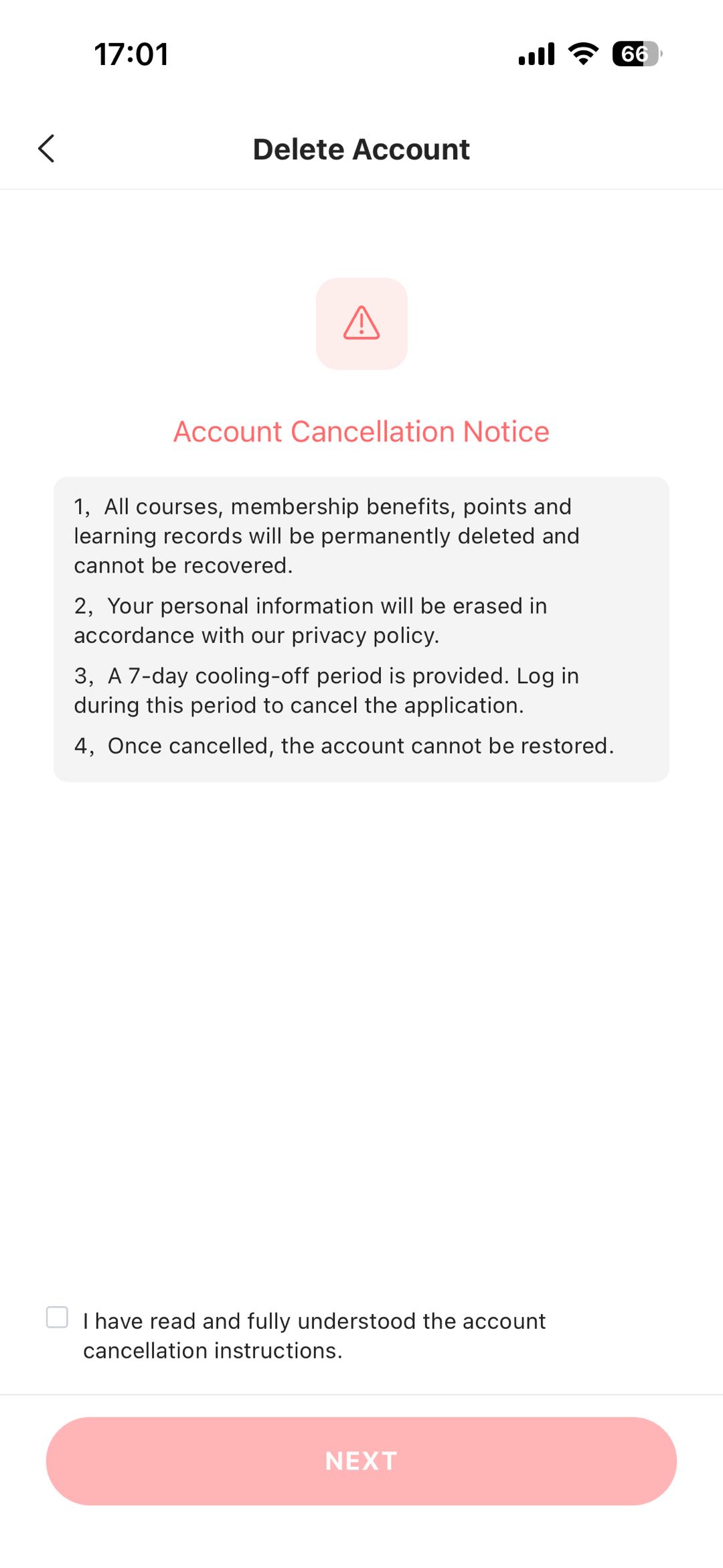
On the personal center page, scroll to the bottom and tap Delete Account (second-to-last, above Sign Out). Read the Account Cancellation Notice shown in the app, check the confirmation box, and tap NEXT. The screenshot below is from the app UI.
Choose a verification method
Select email or phone verification and tap to send a one-time code.

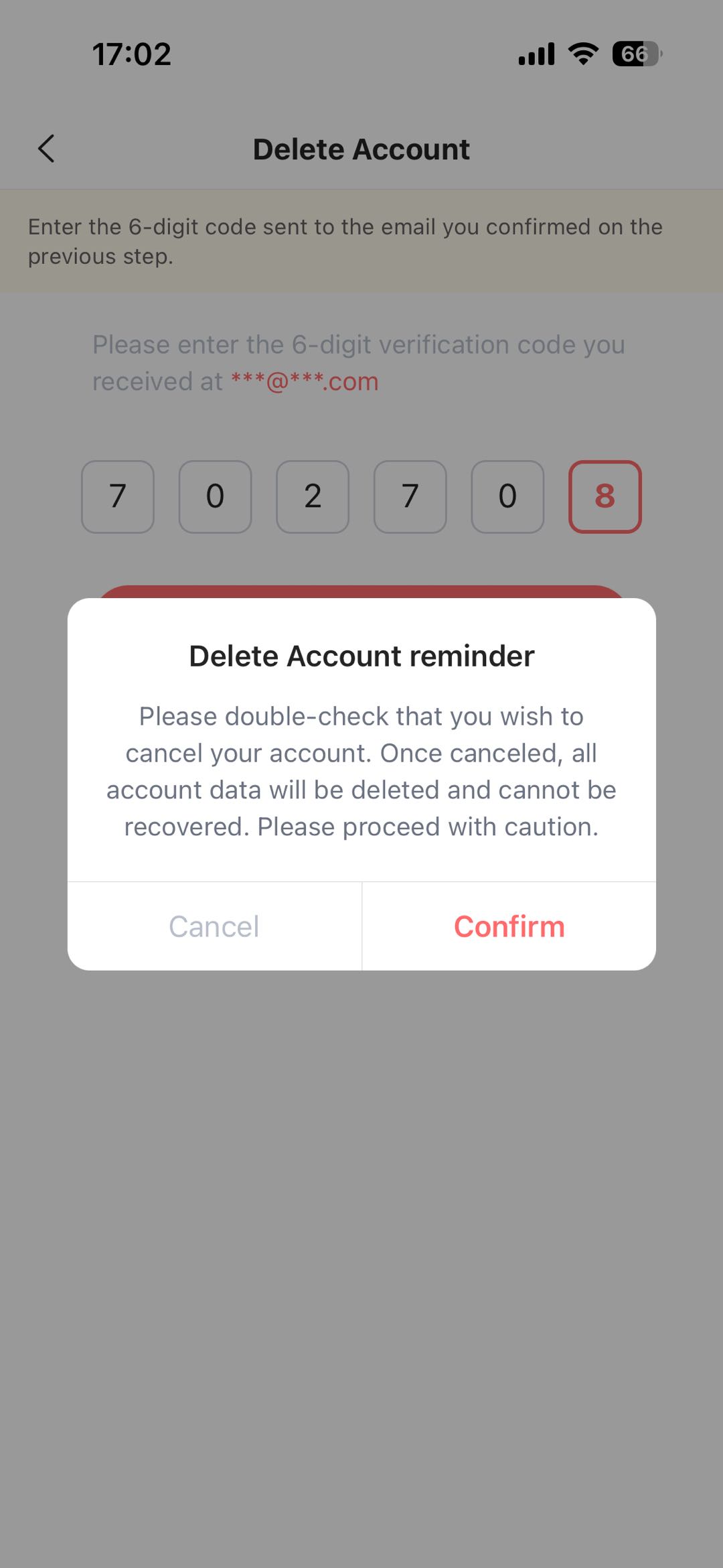
Enter the verification code
Enter the 6-digit code you received by email or SMS to confirm your deletion request.
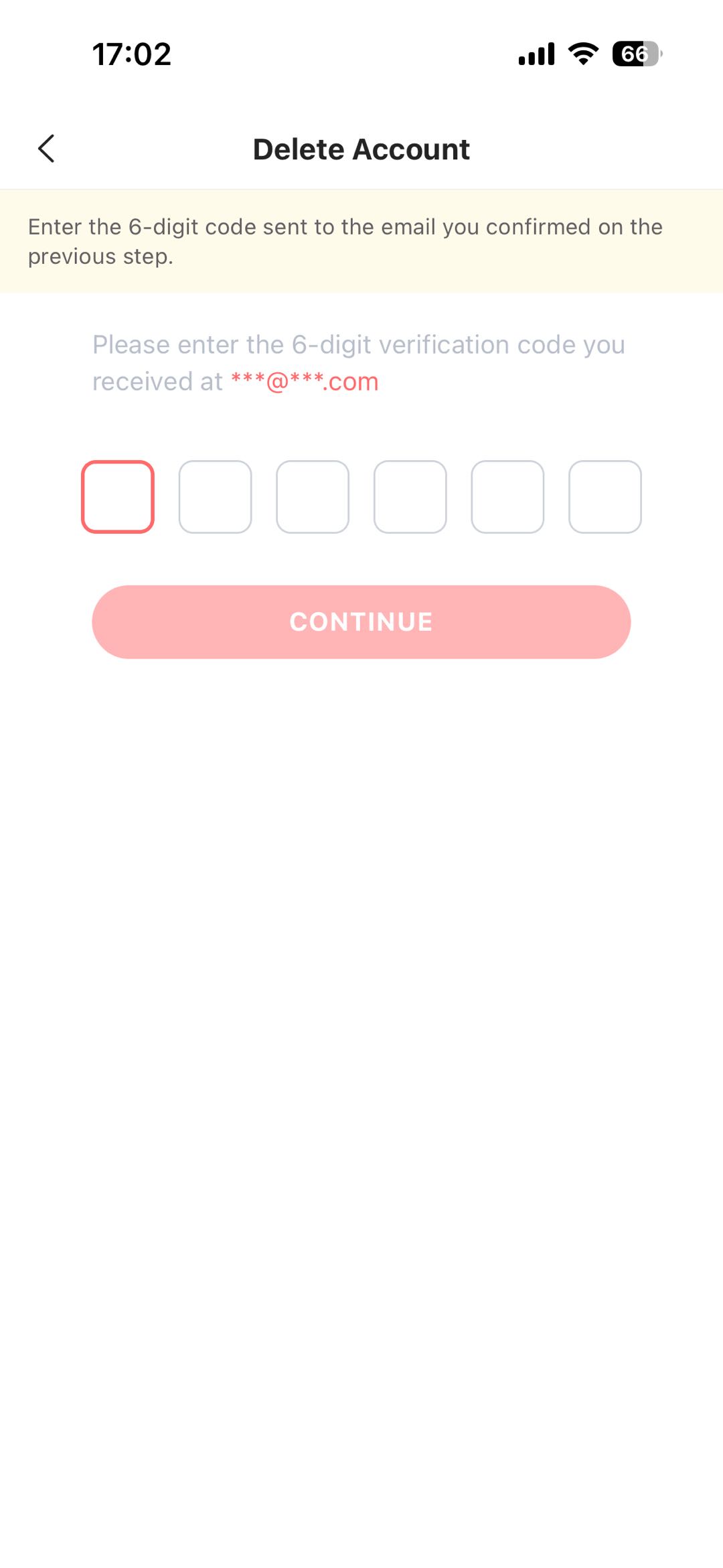
Confirm deletion
Submit the verification code to schedule your account deletion.
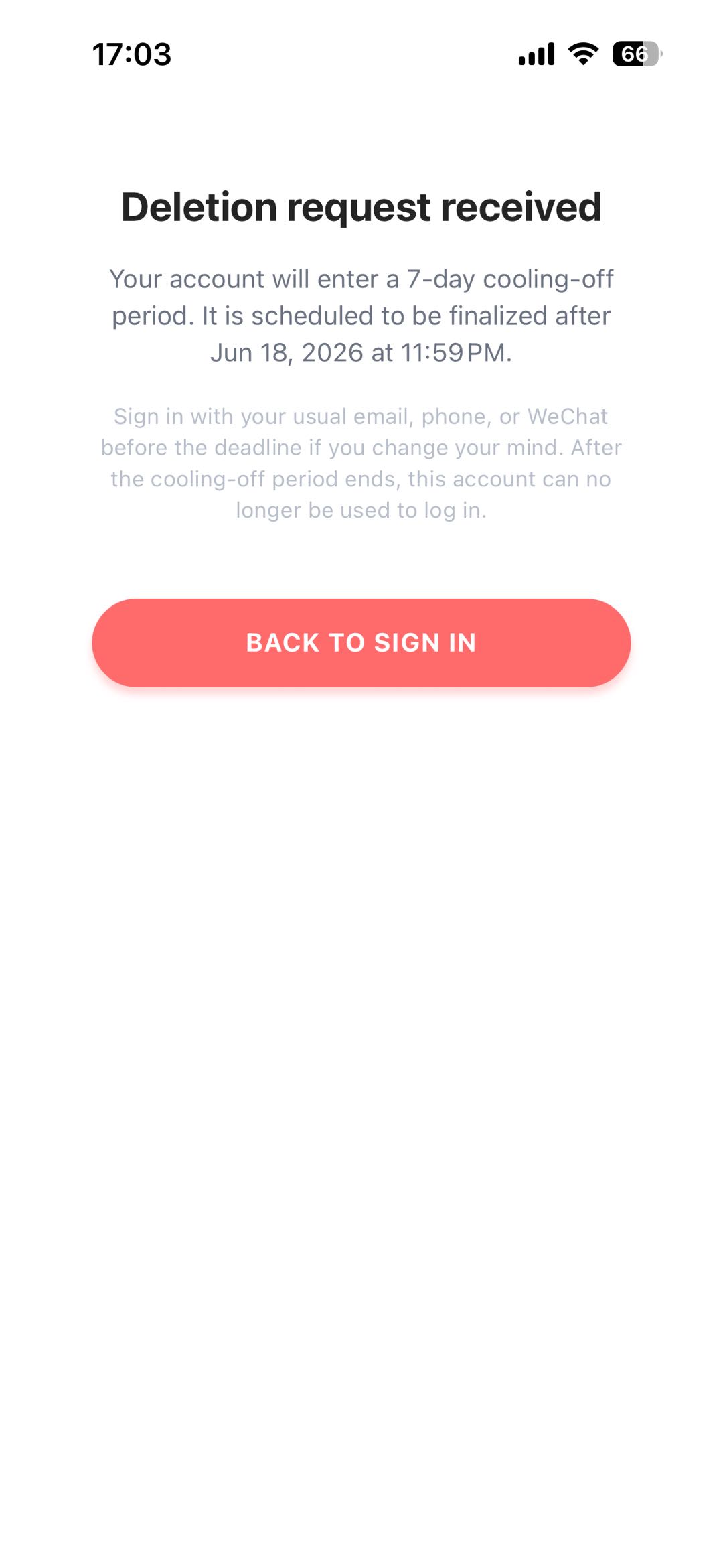
Deletion request submitted
Your deletion request is submitted. See the sections below for verification details, the cooling-off period, and data handling.
Email or phone verification
To confirm account deletion, Xpeak AI sends a one-time verification code to the contact method linked to your account. Use whichever option is available on your account:
A 6-digit code is sent to the email address on your account. Check your inbox (and spam folder) for a message from Xpeak AI.
A 6-digit code is sent via SMS to the phone number linked to your account.
- Codes expire 10 minutes after they are sent.
- Enter the code in the app on the verification screen to confirm deletion.
- If you enter an incorrect code multiple times, request a new code and try again.
- You must have a verified email or phone number on your account to complete deletion.
7-day cooling-off period
After you confirm with a verification code, your deletion request is scheduled. During this period:
- Your account remains in a pending-deletion state for 7 calendar days (based on your account timezone).
- Sign in to the Xpeak AI app during this period to cancel the deletion and restore full access.
- If you do not cancel within 7 days, your account is permanently deleted and your login credentials are released.
Data deleted with your account
When your account deletion is finalized after the cooling-off period, Xpeak AI removes or disassociates the following data tied to your account:
Data that is deleted
- Account profile information (display name, preferences, and learning settings)
- Email address and phone number linked for login (released so they can be used on a new account)
- Third-party login bindings (such as WeChat) associated with your account
- Active app sessions and authentication tokens
- In-app learning progress and content tied to your user identity
Limited retention required by law
Certain records may be retained only where required by applicable law, such as:
- Payment and billing records for tax, accounting, and fraud-prevention purposes (typically retained for the period required by local regulations)
- Aggregated or anonymized usage metrics that cannot reasonably be used to identify you
Need help?
If you cannot access the app or need assistance with account deletion, contact our support team: